


Recommended Solutions
 Best for Ease & Support
CrossOver
A commercial WINE-based tool by CodeWeavers, designed to run Windows apps/games on macOS with a user-friendly interface and added compatibility patches.
Pros
- Commercial (paid support/tech assistance).
- Supports Intel and Apple Silicon.
- Easy to use with pre-configured "bottles" for popular software.
- Strong software support (Steam, Diablo IV with DirectX 12 tweaks).
- Polished UI/UX.
Cons
- Paid (subscription or one-time fee).
- Less Freedom on adjusting bottles (Choosing Wine versions, Winetricks, etc)

Sikarugir
A free, open-source tool that wraps Windows apps into macOS app bundles using WINE, successor of Wineskin with broader compatibility.
Pros
- Free.
- Supports Intel and Apple Silicon (via Rosetta 2).
- Decent software support with manual tweaks.
Cons
- Steeper learning curve, less beginner-friendly.
- UI/UX is complicated and clunky.
- Limited official support; relies on community.
- Installs via Terminal (Requires Homebrew)
Other Options

Highball
Free Apple SiliconSwift-based Beta Release Compatibility Database Get Highball Website • Our Write-up


 No Longer
Maintained
No Longer
Maintained
News




Whisky is No Longer Maintained

Frequently Asked Questions
Yes! CrossOver and Sikarugir both fully support Apple Silicon Macs, including the latest M4 and M5 chips. Performance has improved significantly with each generation — CrossOver 26 ships with D3DMetal 3.0 and Wine 11.0, both optimized for M-series silicon. If anything, newer chips deliver better gaming performance thanks to faster GPU cores and higher memory bandwidth.
Yes, many Steam games work well through WINE-based solutions. CrossOver has excellent Steam support with pre-configured bottles for popular games like Diablo IV. Heroic Games Launcher is specifically designed for gaming and supports Epic Games Store and GOG. Performance depends on the specific game and your Mac's hardware.
WINE is a compatibility layer that translates Windows API calls to macOS equivalents without requiring a Windows license. Virtualization (Parallels, VMware) runs a complete Windows operating system inside a virtual machine, requiring a Windows license. WINE typically uses fewer resources but has more compatibility limitations.
CrossOver offers professional support, regular updates, and pre-configured software bottles that work out of the box. Free alternatives like Sikarugir require more technical knowledge but offer greater flexibility. Choose CrossOver if you want ease of use and support; choose free options if you enjoy tinkering and want more control.
No! WINE stands for "Wine Is Not an Emulator" and works by translating Windows system calls to macOS equivalents. You don't need a Windows license or installation. However, you may need to install Windows fonts and some system libraries for certain applications to work properly.
Whisky was discontinued in April 2025 by its developer. While it was a popular free option for Apple Silicon Macs with an excellent SwiftUI interface, development challenges and the availability of other mature alternatives led to its discontinuation. Users are encouraged to migrate to CrossOver or Sikarugir.
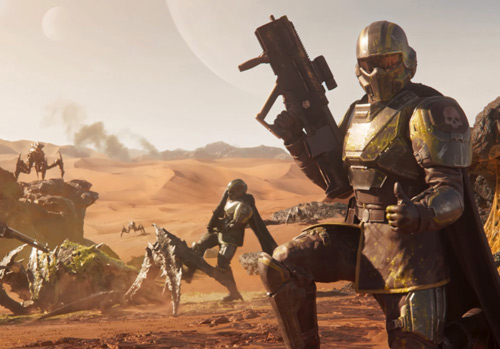
Yes — as of CrossOver 26 (February 2026), many games with anti-cheat systems like nProtect GameGuard, Easy Anti-Cheat, and BattlEye now work on Mac. Helldivers 2, God of War Ragnarök, Starfield, Kingdom Come: Deliverance II, and over 20 other AAA titles are now playable. You need CrossOver 26 specifically — free tools like Sikarugir don't include these anti-cheat fixes yet. You'll also want a Mac with at least 16GB of unified memory for most of these titles. Read our full CrossOver 26 breakdown for the complete list.
Absolutely — but native Mac games are your best bet. Titles like Death Stranding, Resident Evil 4, Baldur's Gate 3, Assassin's Creed Mirage, Vampire Survivors, Balatro, Cuphead, Terraria, and Factorio all run natively with no compatibility overhead. For Windows-only titles, lighter games like Lethal Company and Portal 2 work well through CrossOver or free tools. Heavier AAA Windows games (Helldivers 2, Starfield) need a Mac with 16GB+. Check out our full MacBook Neo gaming guide.
You can't — Proton is Valve's compatibility layer built for Linux and Steam Deck, and it doesn't run on macOS. However, the Mac equivalents serve the same purpose. CrossOver is the closest thing to Proton on Mac — it's built on the same Wine foundation and includes Apple-specific optimizations like D3DMetal for translating DirectX to Metal. Free alternatives like Sikarugir and Heroic Games Launcher also use Wine under the hood. Apple's Game Porting Toolkit (GPTK) is similar to Proton in concept, but it's a developer tool, not meant for end users. For the best Proton-like experience on Mac, CrossOver is the way to go.
Wineskin was the original macOS wrapper tool for running Windows apps with WINE. After Wineskin was archived, the community forked it as Kegworks — adding Homebrew installation, Apple Silicon support, and modern graphics backends. In October 2025, Kegworks was renamed to Sikarugir with further improvements: a modernized UI, built-in toggles for D3DMetal/DXVK/DXMT backends, and active maintenance. Sikarugir is the current recommended free alternative to CrossOver. Read our full history of the Wineskin to Sikarugir evolution.
GPTK is a developer tool Apple provides to help game studios evaluate and port Windows games to Mac. It's not designed for end users and is not included with macOS. However, the technologies behind GPTK — including D3DMetal and Wine-based compatibility — power consumer tools like CrossOver. CodeWeavers works closely with Apple to integrate GPTK improvements into CrossOver, giving you a polished, supported experience. For playing Windows games on your Mac, use CrossOver or Sikarugir — not GPTK directly. Learn more in our GPTK explainer.
It depends on what you play. 8GB is enough for native Mac games and lighter Windows titles through compatibility tools. 16GB is the practical minimum for running demanding Windows games through CrossOver, including many newly supported anti-cheat titles like Helldivers 2. 24–32GB is recommended for the heaviest AAA games like Starfield and Kingdom Come: Deliverance II. Apple Silicon's unified memory architecture is more efficient than traditional setups, but running Windows games through a compatibility layer adds overhead on top of the game itself.
These are graphics translation backends that convert Windows DirectX calls into something macOS can understand. D3DMetal is Apple's technology that translates DirectX to Metal — it's generally the best choice on Apple Silicon. DXVK translates DirectX 10/11 to Vulkan. DXMT is an alternative Metal-based translator that works better for certain games. CrossOver handles backend selection automatically. If you're using Sikarugir, it has built-in toggles to switch between them — start with D3DMetal on Apple Silicon Macs.
Projects We Like
